Accessible job applications start with spotting the barriers in a specific hiring process, such as an online form, a timed test or a video tool, and preparing for them early. This guide covers document preparation, finding the right recruitment contact and requesting an adjustment without oversharing.
Online hiring tools may create barriers for applicants who use assistive technology, need more time for a task or cannot complete a particular assessment format. A useful job-search plan considers both the skills required for the role and the accessibility of the recruitment process. Not every employer or country follows the same legal rules. This guide explains practical preparation and gives United States examples only where official guidance supports them, without assuming that those rules apply worldwide.
Identify barriers in the actual process
Review each stage of an application: account creation, resume upload, timed tests, video interviews and document submission. A form may work with a keyboard but fail when a screen reader announces fields without labels. A timed assessment may be difficult for reasons unrelated to job competence. Record the precise step that is inaccessible so you can describe the problem clearly to the employer or platform.
Try it with your own situation: Find one genuine vacancy in your preferred field and note which part of “identify barriers in the actual process” it tests.
Prepare documents that are easier to process
Use a straightforward document structure, meaningful headings, standard fonts and descriptive file names. Tables used for decoration can create reading-order problems. If a system requires a specific format, check the instructions and test your file before submission. Keep a text copy of important responses in case a web form times out. Accessibility helps all candidates, including those applying on a low-bandwidth connection.
Try it with your own situation: Imagine explaining “prepare documents that are easier to process” to a skeptical reviewer who has not seen your records.
Find the appropriate recruitment contact
Look for an official accommodations address, human-resources contact or accessibility instructions on the employer website. Avoid sharing medical information through public comments or unverified recruiter chats. Describe the functional barrier and the adjustment requested. A specific message such as asking for a keyboard-accessible assessment can be easier to process than a vague complaint that the site does not work.
Try it with your own situation: Take five minutes to turn “find the appropriate recruitment contact” into a practical decision.
Understand the limits of general legal guidance
In the United States, the EEOC explains that the Americans with Disabilities Act can require reasonable accommodation during the application process for covered employers, subject to applicable conditions. Rights and exceptions depend on the situation; other countries have different frameworks. This article is not personalised legal advice. When a dispute arises, consult the relevant regulator or a qualified professional in your jurisdiction.
Try it with your own situation: Find one genuine vacancy in your preferred field and note which part of “understand the limits of general legal guidance” it tests.
Request an adjustment without oversharing
Explain what part of the process cannot be completed as provided and how a proposed alternative would allow you to demonstrate your ability. You may be asked for additional information where legally appropriate, but do not send sensitive records to an unidentified contact. Keep copies of correspondence and deadlines. The aim is access to a fair assessment, not avoidance of essential job requirements.
Try it with your own situation: Imagine explaining “request an adjustment without oversharing” to a skeptical reviewer who has not seen your records.
Practice the format when it is accessible
If a job includes a skills task, prepare using publicly available examples or your own practice materials. Test software compatibility and save any platform instructions. For video calls, consider captions, sound checks or an alternative format if necessary. Do not assume that a single technology solution is suitable for everyone; accessibility needs are individual.
Try it with your own situation: Take five minutes to turn “practice the format when it is accessible” into a practical decision.
Respond when a hiring tool fails
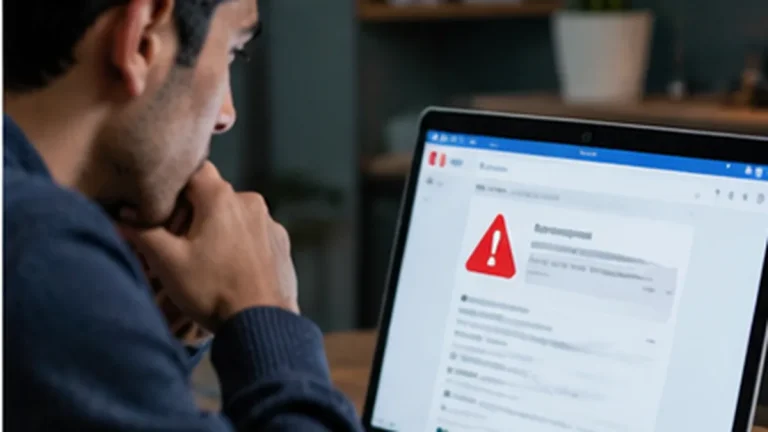
Capture the error, note the time, and contact the official employer channel promptly. If a deadline is involved, state it clearly and ask how to submit the same evidence through an accessible route. Do not create multiple contradictory applications merely to bypass the barrier. Keep a neutral record of what happened so a support representative can identify the issue.
Try it with your own situation: Find one genuine vacancy in your preferred field and note which part of “respond when a hiring tool fails” it tests.
Evaluate the workplace as well as the interview
A recruitment process can reveal how an organisation responds to practical questions, but it is not definitive evidence of long-term workplace culture. Ask about essential duties, tools, training and workplace adjustments at a suitable stage. Compare written role requirements with your actual abilities and support needs. Avoid disclosing more personal detail than is useful for the discussion.
Try it with your own situation: Imagine explaining “evaluate the workplace as well as the interview” to a skeptical reviewer who has not seen your records.
Build a sustainable application routine
Track which platforms are accessible, which contacts respond and where you need extra preparation. Keep reusable document versions but tailor job-specific evidence. If an application process is inaccessible, record the barrier and seek an appropriate alternative rather than treating the failure as proof you cannot do the job. A systematic approach makes future submissions less frustrating.
Try it with your own situation: Take five minutes to turn “build a sustainable application routine” into a practical decision.
Worked example:
Imagine an applicant who uses keyboard navigation and encounters an assessment form that cannot move focus into a required answer box. The candidate records the exact page, browser, relevant deadline and the behaviour observed, without publicly posting a screenshot containing private account details. They search for an official recruiter or accessibility contact and send a concise description of the barrier. The request is not to skip the assessment. It is to complete the same evaluation through an accessible method. The employer’s response and legal duties depend on the applicable framework and particular circumstances.
The candidate has already prepared a straightforward resume with clear headings and an editable text copy of longer responses. That preparation can help when a hiring site fails or requires a different permitted document format. However, the candidate should not be expected to solve a platform accessibility defect through endless technical workarounds. They ask whether an alternative submission method or properly accessible assessment is available. They avoid disclosing more health-related information than is necessary in an initial message, particularly through an unverified support chat.
If the employer operates in the United States and is covered by the relevant provisions of the ADA, the EEOC’s job-applicant guidance provides an authoritative starting point for understanding reasonable accommodation in recruitment. The candidate reads the official material, but does not assume every employer and country has identical obligations. If the situation becomes a dispute, seeking guidance from a relevant regulator or qualified adviser is more appropriate than relying on generic comments under a job advertisement. Any communication is saved with dates and the requested action.
Once an accessible route is provided, the candidate submits the same truthful evidence of skill that other applicants would present. Afterward they evaluate the role and employer on the information actually available: duties, tools, communication and practical support. One positive or negative interaction during recruitment may be informative, but it cannot describe every future workplace experience. Maintaining a simple log of accessible platforms and reliable contacts makes later applications more manageable. The underlying principle is that an application should evaluate the applicant’s ability to perform relevant work, not their ability to work around avoidable interface barriers.
Accessible job applications: further reading and next step
The next step is to apply this accessibility guidance to one real opportunity or project that you can verify.
For another angle, read Build a Job Application Tracker That Actually Helps You Follow Up and Answer Behavioral Interview Questions With the STAR Method. A companion guide on How to Write a Cover Letter That Shows Evidence, Not Empty Enthusiasm can help you connect this decision to the next stage of your career planning.
Document accessibility barriers and communicate a concrete, reasonable request through an official channel. The goal is a meaningful way to show job-relevant skills, not a requirement to disclose every private circumstance.
Frequently Asked Questions
Can I request an alternative assessment?
You can ask the employer; available rights and arrangements depend on local law and circumstances.
Must I disclose a diagnosis to every recruiter?
No universal disclosure rule applies; seek local guidance for your situation.
What if an online form is inaccessible?
Document the issue and contact the employer through an official channel.
Independent reference: EEOC accessibility and hiring guidance. EEOC guidance explains accommodations for job applicants in covered U.S. settings; it is not a substitute for local legal advice.